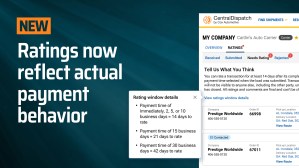
We heard you. More fair and balanced rating windows are here! We’ve made an important fairness and trust improvement to our Transactional Ratings system, one driven directly by carrier feedback. With the introduction of dynamic rating windows, Central Dispatch now automatically adjusts the rating period based on the load’s payment terms. That means carriers can now rate shippers after payment is…
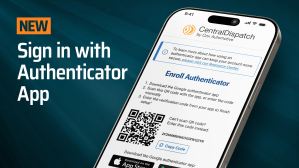
Learn about the authenticator app, updates to the carrier app, how to share your feedback, and more in this edition of Central Dispatch Highlights. Securely Sign In to Central Dispatch with the Authenticator App The authenticator app gives you a secure way to complete multi-factor authentication and access your account without having to rely on…
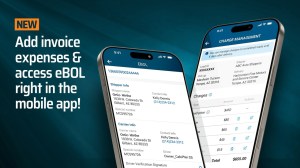
Invoices just got easier for carriers, and more transparent for shippers. Carriers can now add incremental expenses right from the mobile app! Whether it’s an unexpected toll, storage fee, or other incidental cost, any charge can be quickly and easily attached to an invoice in real-time, ensuring all expenses are clearly documented and instantly visible to shippers.…
Introducing an all-new way to access your Central Dispatch account. With the authenticator app, you receive a time-based sign-in code that’s instantly accessible right from your phone! Why We’re Doing This The authenticator app gives you a secure way to complete multi-factor authentication (MFA) without relying on email or SMS, and provides a reliable alternative when text message codes aren’t available. It’s part of…
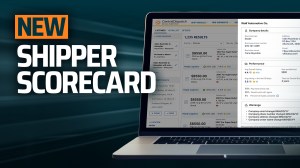
More informed partnering decisions are just a click away. Carriers can now view any shipper’s scorecard, right from the search results page! Just click a shipper’s name to open up a slide-out displaying their comprehensive profile, including company details, Central Dispatch ratings, warnings, and other key information. You’ll also see each shipper’s cancellation percentage for greater…
This edition of Central Dispatch Highlights includes the warning signs of phishing scams and a new enhancement to the carrier mobile app. Carriers: Find Loads in the Central Dispatch Carrier App With our latest enhancement to the carrier app, you can search, browse, and filter the load board right from your phone! Learn all about…
In today’s used vehicle market, having fast and cost-effective vehicle transportation isn’t optional—it’s essential. That’s why more and more dealers like Tahir Ilyas from Ed Voyles Automotive Group are turning to Central Dispatch. “When I started using Central Dispatch, two years ago I was able to save an average of $400 per car, and my…
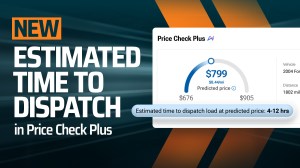
Premium and Price Check Plus customers will soon have access to an estimated time to dispatch in the Central Dispatch Price Check Plus tool. Estimated time to dispatch will automatically be shown along with each pricing recommendation, allowing shippers to have clearer timing expectations and help determine how to price a load. This enhancement also…
This edition of Central Dispatch Highlights focuses on our upcoming Price Check Plus time to dispatch and ID verification enhancements. View Estimated Time to Dispatch with Price Check Plus Premium and Price Check Plus customers will soon be able to see an estimated time to dispatch for each pricing recommendation. This will help shippers determine…