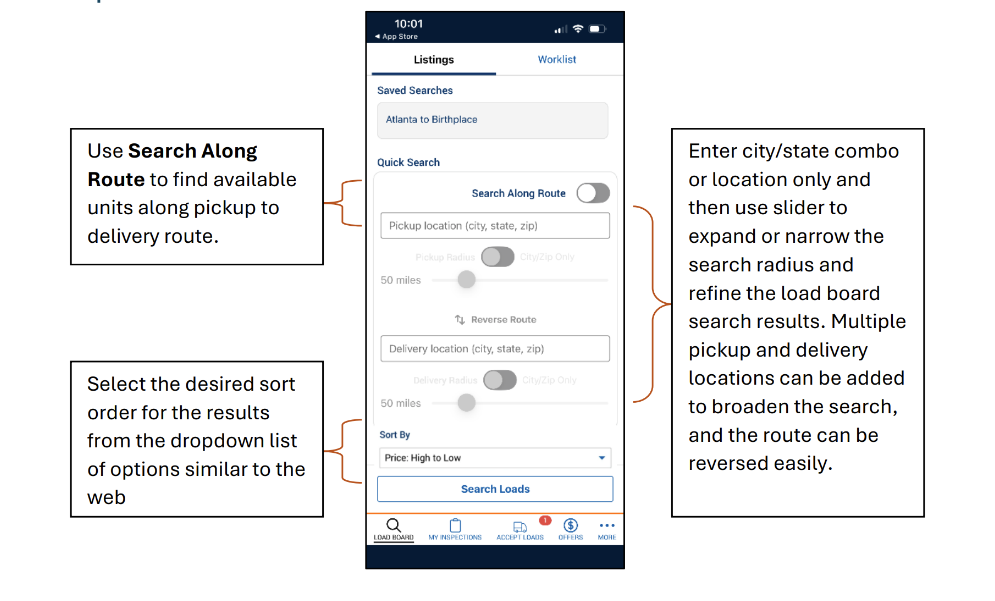
The Search feature in the Mobile App is similar to the web functionality. This provides carriers with a single source to handle most of their transportation tasks.
Navigating the Load Board from the Mobile App
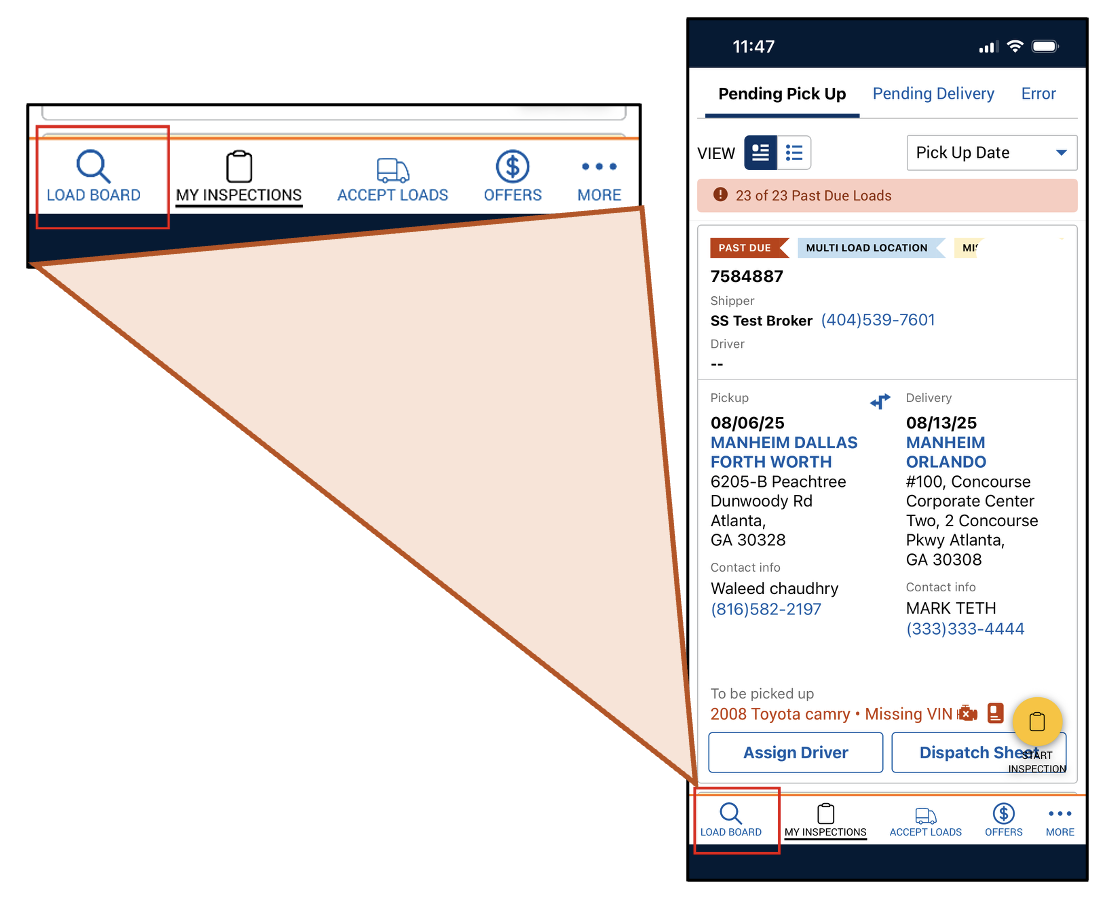
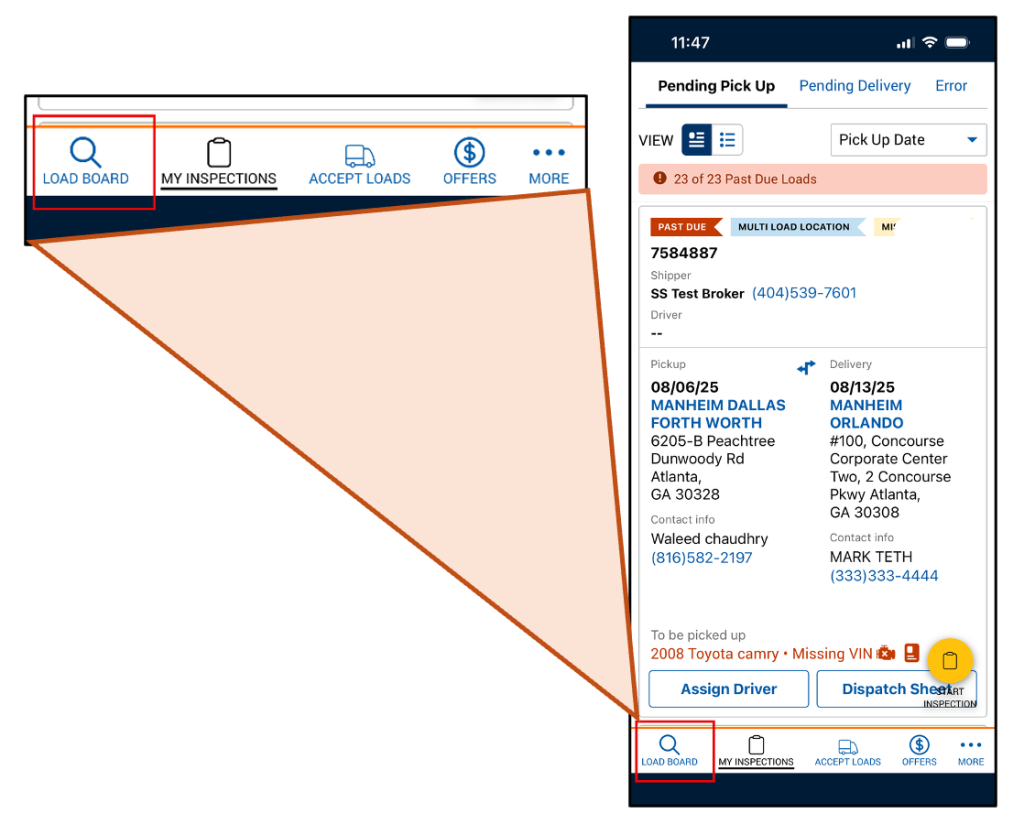
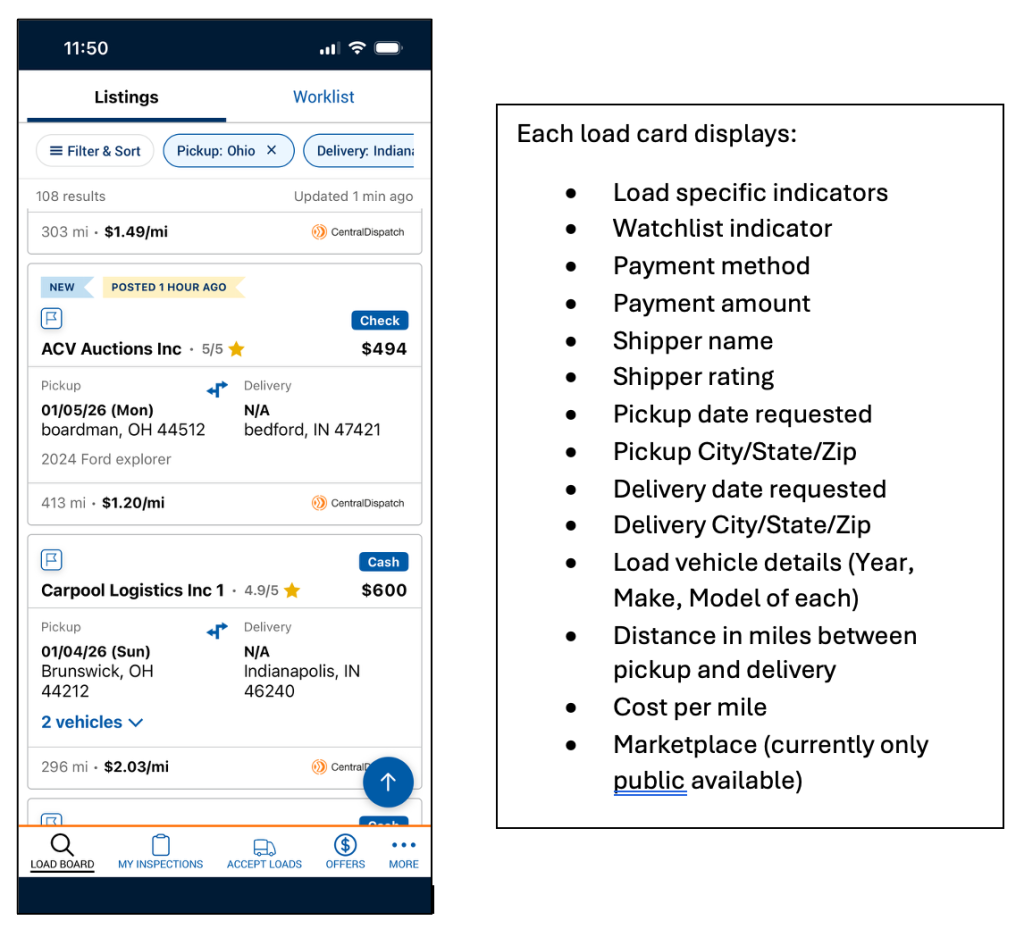
- To open the load board, use the Load Board icon in the menu bar at the bottom of the Mobile App screen.
- From the Listings tab, find loads by selecting a saved search, adding filters, or simply by clicking Search Loads.
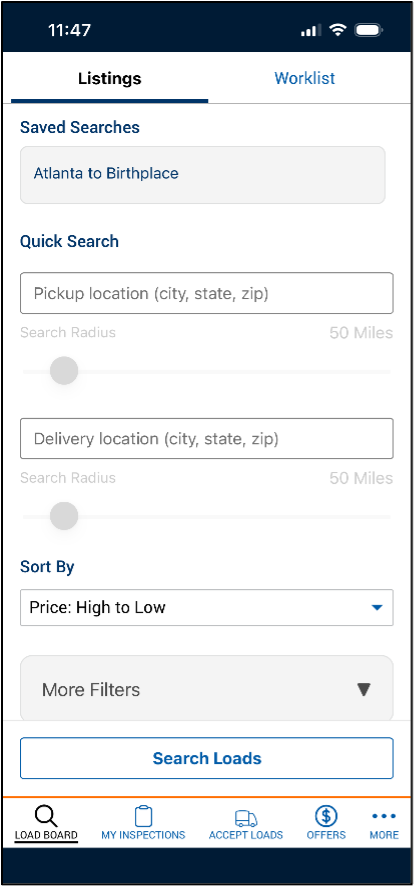
Filter Options:
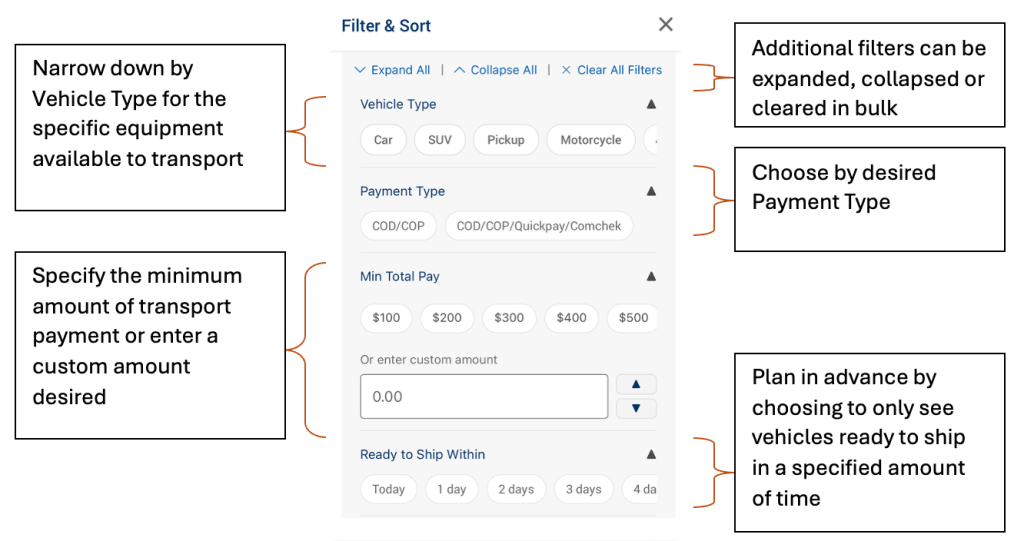
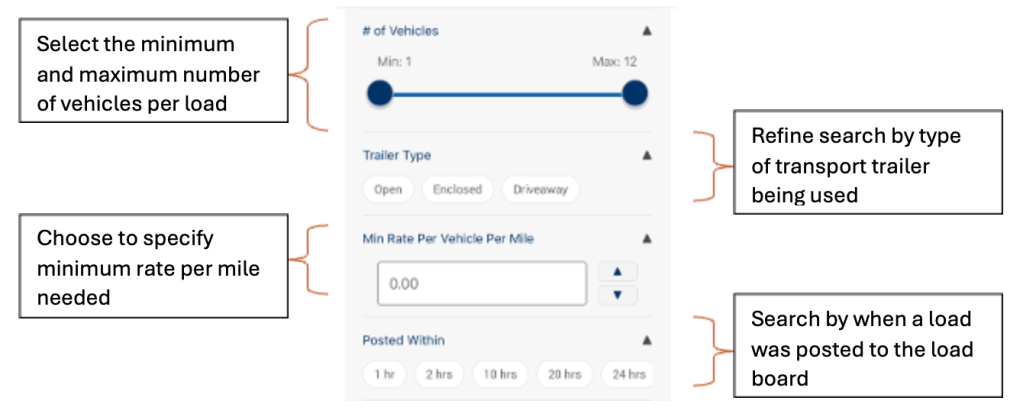
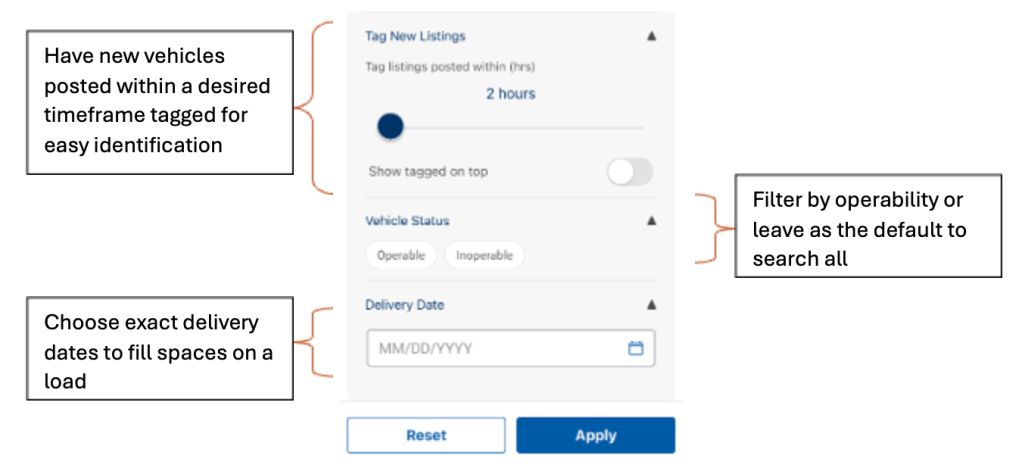
- Once filters are applied and results are visible, then they can be removed by clicking the Filter & Sort button to make changes or by using the X next to the applied filter that needs removed.

Understanding Search Results
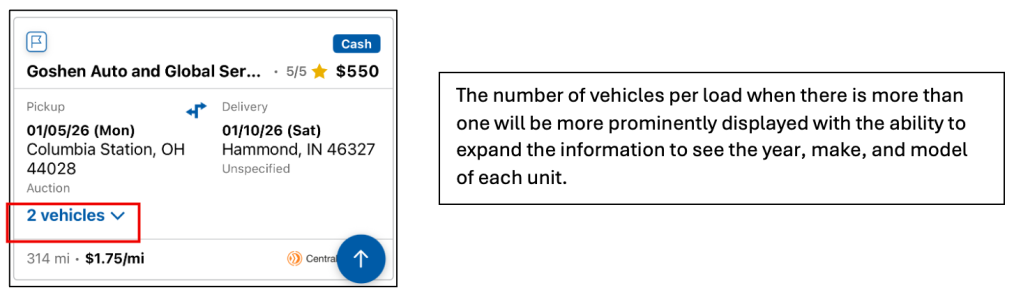
- Each vehicle card will display similar information to the web version including the pickup and delivery location details, the payment amount and method, shipper rating, and the vehicles per load.
NOTE: Driver roles are unable to access the load board with their permissions and can’t see the carrier payment amount.
Additional Load Details Page
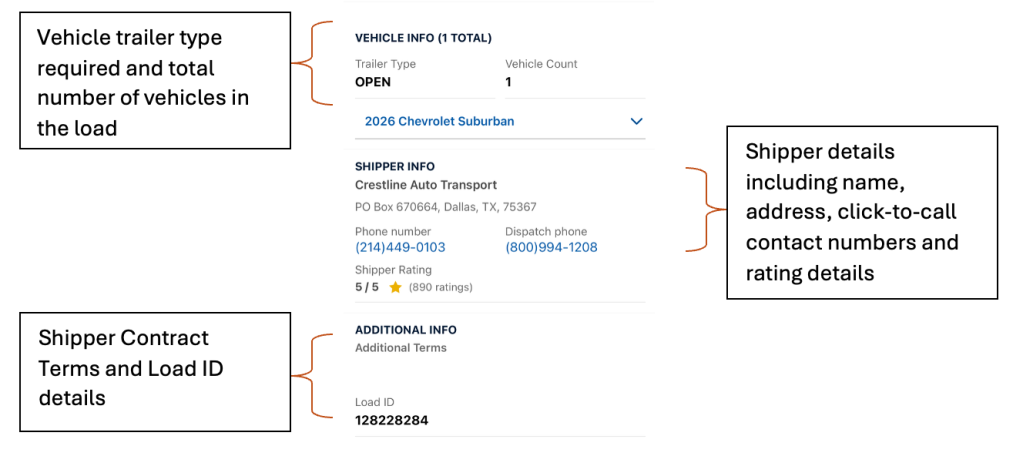
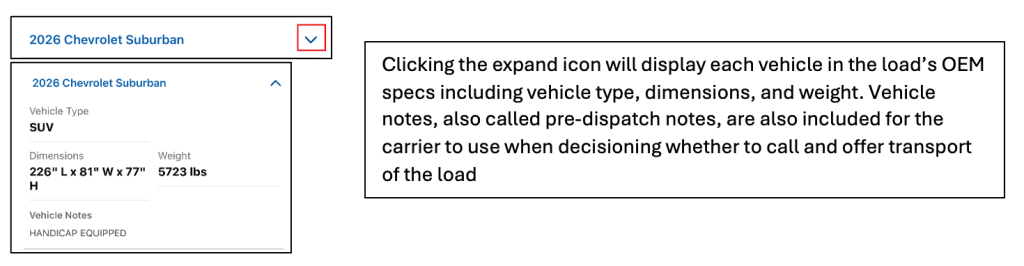
When a carrier clicks into the load card, the additional details display for that load.

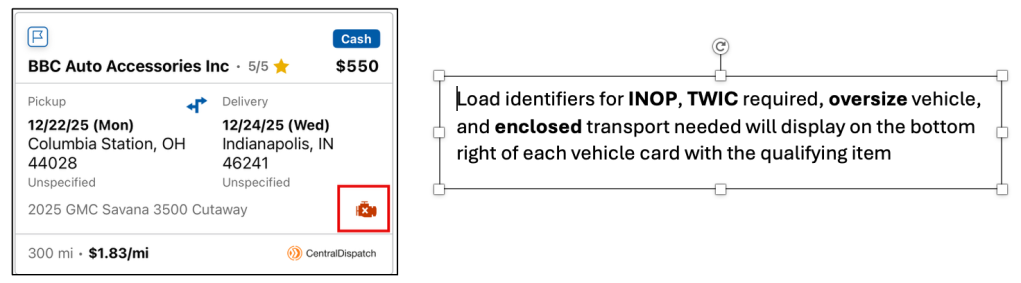
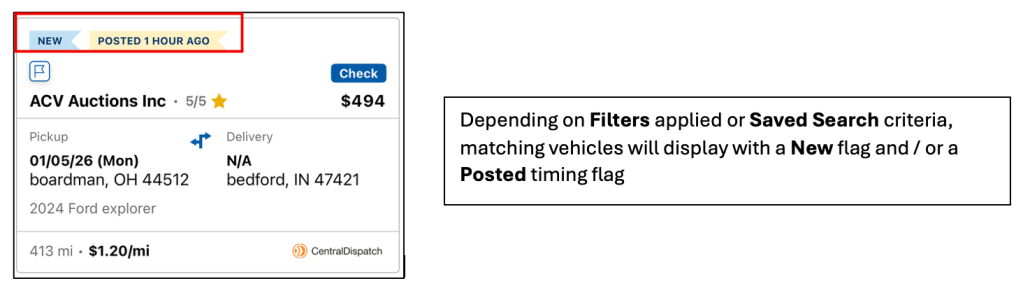
Load Specific Messages / Callouts

Worklist from the Mobile App
Any changes done on the Worklist on the web and on the mobile app will sync to the other.
Adding to the Worklist
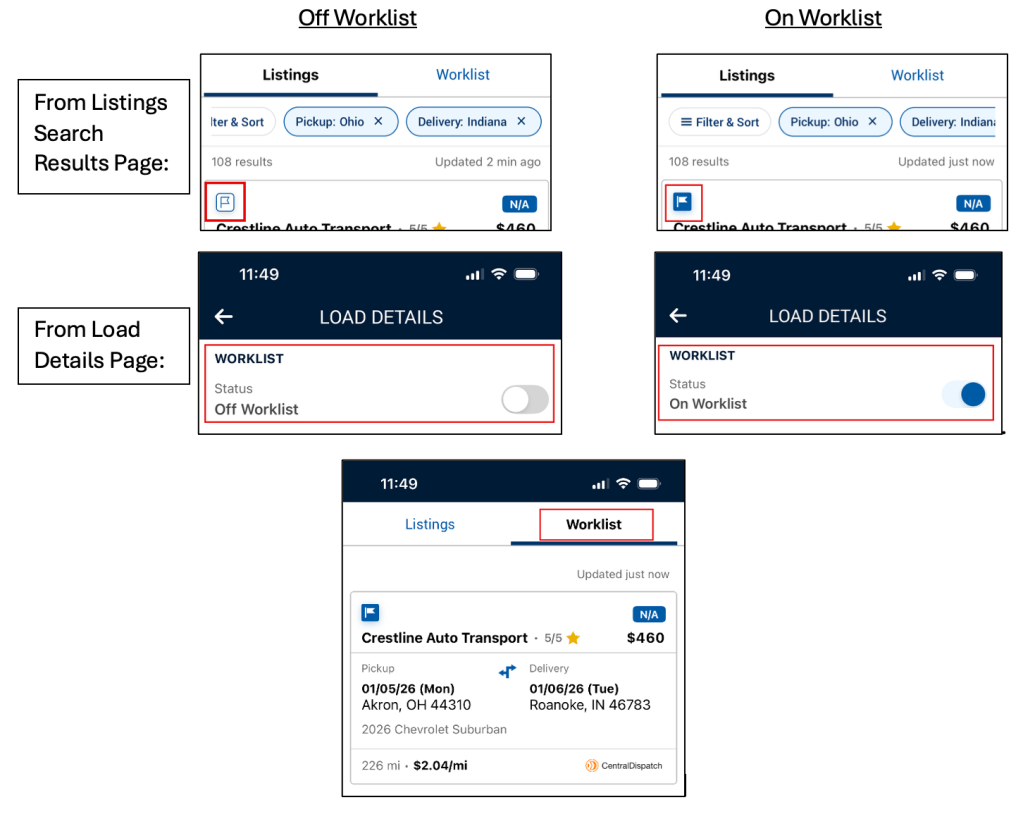
To add a vehicle load to the Worklist the carrier can use the icon on the Listings Search Results tab or they can toggle from the Load Details Page.
Loads on the Worklist can be viewed on the Worklist tab and removed with the same actions that added them to the list.