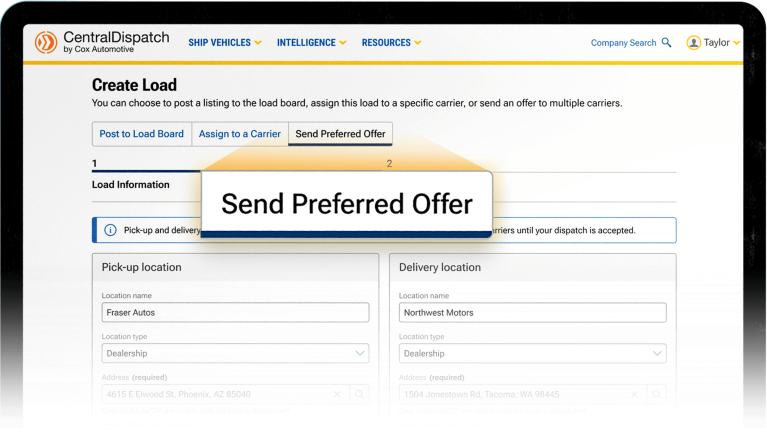
A Preferred Carrier Offer allows you to send your load directly to selected carriers from your preferred list, instead of posting it to the load board right away. The first carrier who accepts the offer will automatically be assigned to the load. Using Preferred Carrier Offers helps you to: Before You Start: Adding a Carrier…
Read More →
Shippers are able to send offers for loads directly to a carrier instead of posting on the load. A shipper is able to send an offer to up to 5 carriers at a time and select a timeframe for the carrier to accept the offer. The system will automatically dispatch it to the first carrier…
Read More →
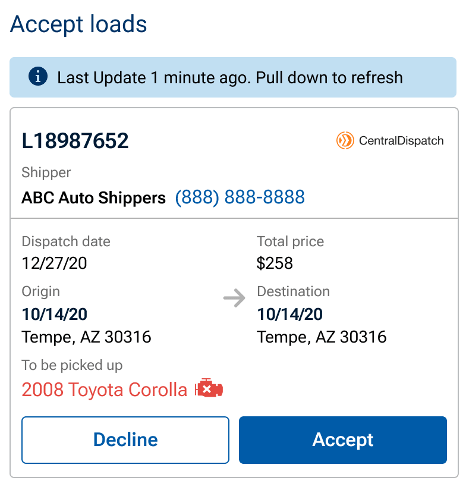
Carriers will now be able to accept a load or decline a dispatch in the status of Not Signed on the mobile app instead of going through CentralDispatch.com. This enables additional functions in addition to current function of updating loads and taking inspections photos. Note: Users with a Driver role will not have access to…
Read More →
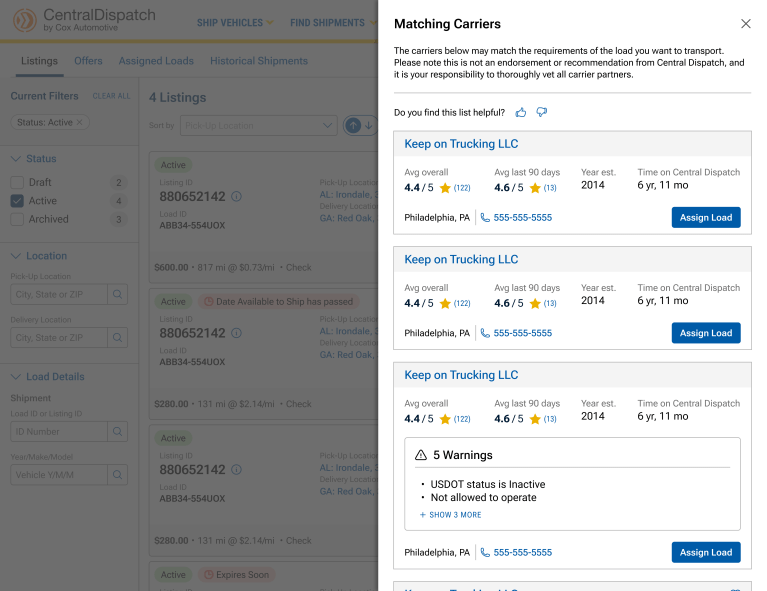
Overview The Find Carriers feature allows Premium Shippers to proactively identify and assign recommended carriers when a listing is not receiving enough engagement. What’s New When to Use This Feature Find Carriers is NOT Available For Step-by-Step Process Step 1: Navigate to Manage Listings Step 2: Locate the Listing Step 3: Review Recommended Carriers Step…
Read More →

The authenticator app provides a MFA (multi-factor authentication) process for users that do not have access to a supported phone number for SMS verification and as an additional option for users other than SMS verification. Central Dispatch does not support SMS verification for international phone numbers, users outside of the U.S., Canada, and Puerto Rico. …
Read More →
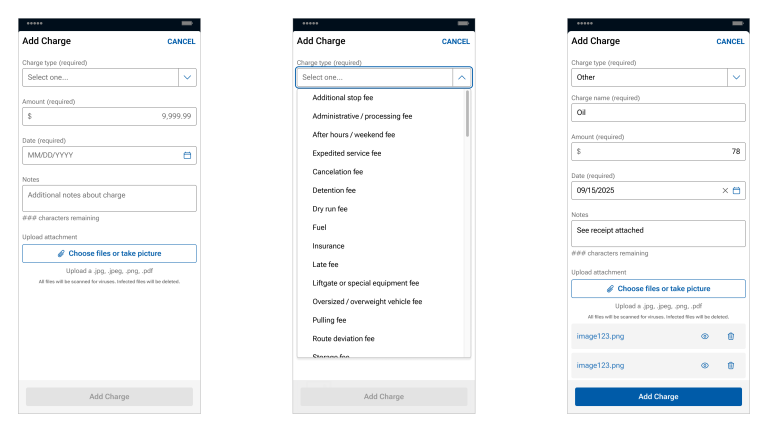
Allowing carriers to add incremental expenses to an invoice on the Central Dispatch Marketplace from the mobile app provides transparency and allows carriers to manage their entire book of business on Central Dispatch, including incidental charges. 1. Carriers are able to add incremental expenses from the mobile app. Carriers can add an expense to an…
Read More →
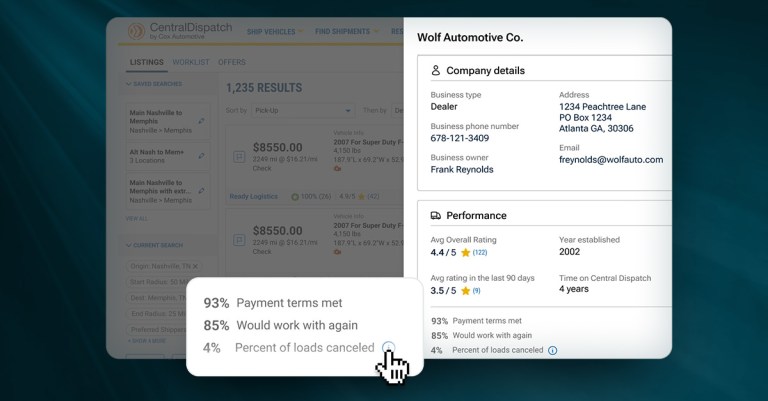
Click on the shipper’s name on the listings page to open a slide-out that displays the Shipper’s Scorecard, allowing the carrier to make faster, more informed decisions and reduce risk. Clicking on shipper’s name from the listing card opens a slide-out form with comprehensive shipper information, including:
Read More →
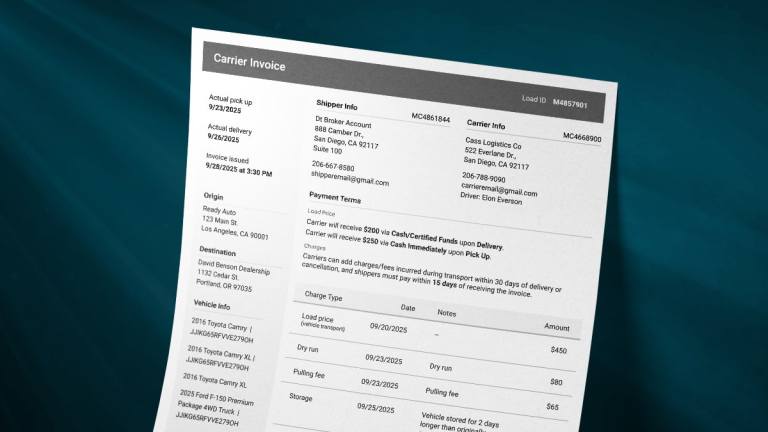
Features: Note: The Notes and Contract Terms sections were removed since they are relevant to the dispatch function, and are part of the Dispatch Sheet.
Read More →
Overview The Assigned Loads tab allows shippers to view, update, and manage loads that have been assigned to a carrier. From this tab, you can track dispatch status, access load details, manage documents, and take action on active, archived, or cancelled dispatches. At the top of the page, you can easily switch between: Assigned Loads…
Read More →
